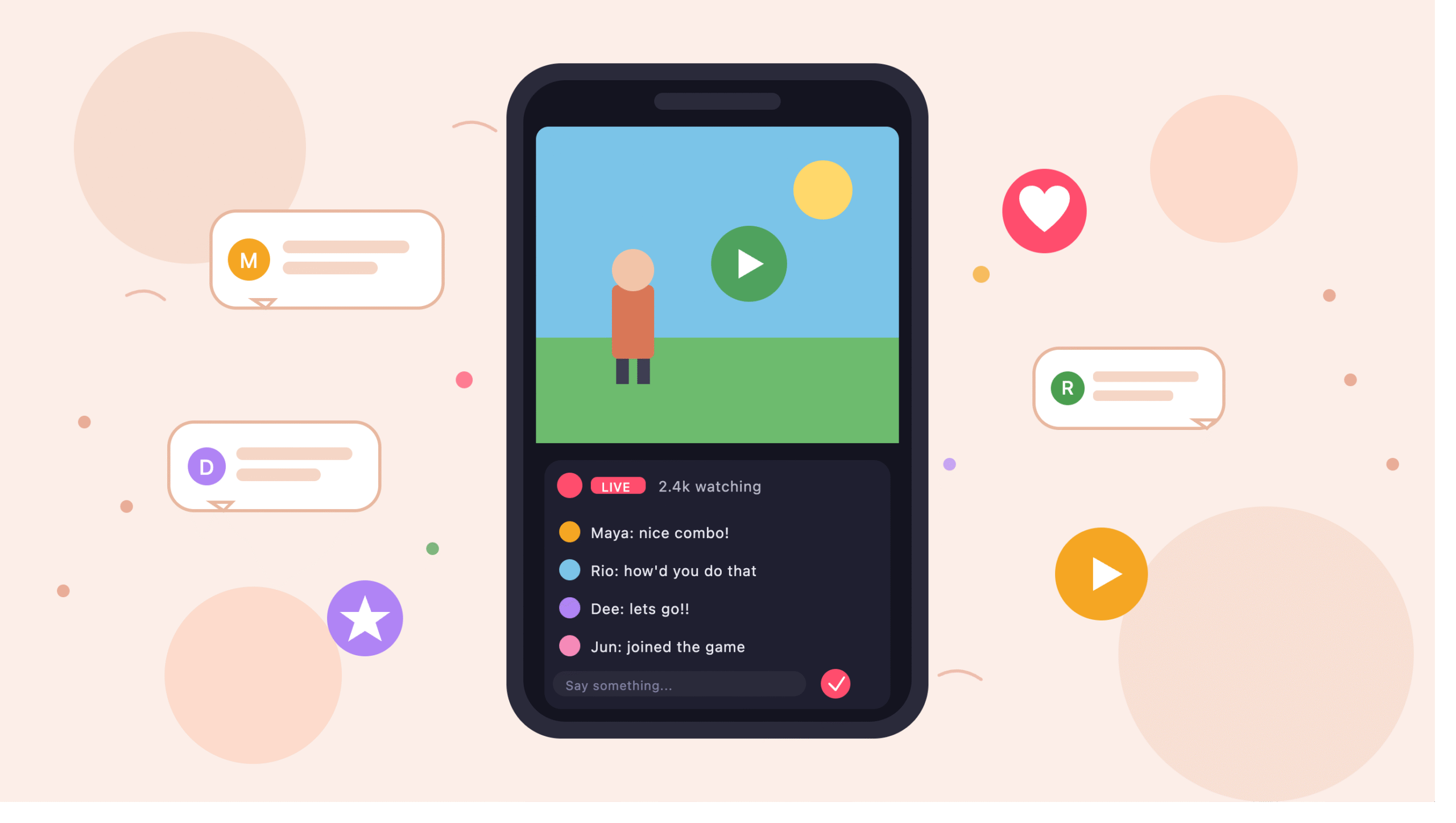
Why Play and Watch Stopped Being Separate Activities
Not long ago, opening your phone meant picking a lane. You either fired up a game or you jumped into a streaming app to watch someone else play. Both were fun, but switching between them felt clunky kind of like changing TV channels with two different remotes. Then something shifted. Developers noticed that people don’t actually want two hobbies; they want one messy, flexible pastime. Playing a round, watching a creator handle the same level, and dropping a comment mid-match all belong together. That’s the shift you feel now every time you swipe through your app drawer. However, the change didn’t happen loudly. It crept in through small updates: a chat button here, a live tile there, a home screen that suggests a streamer instead of another puzzle level. Honestly, I didn’t even notice the transition until I realized I hadn’t opened a standalone streaming app in weeks. Meanwhile, the games themselves got shorter, more social, and easier to talk about while playing. So the merge wasn’t really about technology it was about matching how people already used their phones. You bounce between things. You watch for two minutes, play for five, chat for one. Apps finally caught up to that rhythm. And once one platform proved it could work, others followed fast. That’s why “play and watch” now feels like one activity instead of two. In my opinion, this is the most useful change mobile entertainment has seen in years, even if it hasn’t gotten much press. It’s quiet, but it stuck.
What Actually Changed On Your Phone Screen
Look at your home screen right now. Chances are, at least one app there does more than its name suggests. A game hub has live tabs. A streaming service has mini-games. That blur is intentional. The design goal shifted from “one app, one purpose” to “one app, one mood.” When you’re bored on the bus, you don’t care whether the next tap opens a match or a broadcast you just want something to happen. Platforms like mimigame built themselves around that exact instinct, mixing casual play with live sessions so switching feels like scrolling instead of leaving. Additionally, the visual grammar changed. Buttons got bigger. Chat sits closer to the action. Profiles blend viewer stats with player stats, so a creator’s page shows both what they streamed last night and what they beat this week. Meanwhile, notifications became smarter instead of pinging you for every friend request, they nudge you when a streamer you liked is live. Sometimes that feels helpful; other times it feels like the app is a little too eager. I’ve muted more than a few. Still, the core change stands: your phone stopped treating gaming and watching as separate lanes. Furthermore, the loading times dropped. Old streaming apps needed a heavy player, but modern combo apps stream at lower resolutions by default and let you bump quality up manually. That saves data, and it saves patience. So the biggest change on your screen isn’t a new feature it’s the removal of friction between features you already used. In practice, that means fewer taps, fewer apps, and, frankly, fewer moments where you give up and just close your phone.
The Small Habits That Made Combo Apps Take Over
The interesting part isn’t the tech it’s the everyday behavior. Combo apps grew because people were already doing weird little things across multiple apps. Once you list those habits, the whole trend makes sense. Here are the specific patterns that pushed platforms toward merging play and stream into one product:
- Watching a stream, then downloading the exact game. Users kept doing this loop. So developers built in-app install buttons so nobody had to search the store afterward.
- Chatting with strangers about a level right after finishing it. People wanted to react instantly, not open a separate forum. Live comment sections handled that.
- Following one creator across every content type. Fans didn’t want a “gameplay account” and a “chatting account.” They wanted one profile with everything.
- Playing casually while half-watching a broadcast. This is a huge one. Split-screen and picture-in-picture became standard because people already stacked apps this way.
- Sending small gifts or reactions instead of typing. Emoji reactions and tap-to-tip buttons replaced long comments during fast-moving streams.
- Discovering games through creators, not app stores. Word of mouth beats algorithm rankings, and creators became the new recommendation engine.
- Coming back for the community, not the content. Once a viewer knew regulars in a chat, they’d return even if the streamer took a break.
Each habit sounds small. Together, though, they explain why single-purpose gaming apps started losing ground. Users kept voting with their thumbs. Developers listened, because the alternative was watching engagement slide. Personally, I think habit six is the sneakiest one. It flipped the whole discovery model on its head, and most app stores still haven’t caught up. That’s why combo apps had room to grow the store shelves weren’t showing what people were actually into.
How Live Streaming Turned Games Into Group Hangouts
Playing a game used to be a solo thing, or at most a couch thing with a friend or two. Live streaming changed that quietly. Now, when you play a popular casual game, there’s almost always someone streaming it, and someone else watching that stream, and a chat full of people making jokes about the same level. Suddenly the game isn’t a solo activity anymore it’s a shared moment happening on hundreds of screens at once. Furthermore, streamers give games a second life. A puzzle app you finished months ago can pull you back if your favorite creator picks it up and plays badly for laughs. That kind of communal ribbing wasn’t possible when gaming and streaming lived in different apps. According to the description on the mimigame app site, the goal is exactly this mixing casual play, live sessions, and community chat under one roof so people don’t scatter across platforms. Meanwhile, streamers themselves benefited. Instead of dragging viewers to a separate download page, they can push a game their audience installs in-app. So the audience grows the game, and the game grows the audience. That loop didn’t exist five years ago. In my experience, though, the “group hangout” feeling only clicks when a stream has fewer than a few thousand viewers. Beyond that, chat moves so fast that nobody can actually talk to anyone. Small streams feel like a group text with strangers. Big streams feel like a stadium crowd. Both are fun, but they’re not the same experience, and app designers often forget that. Still, either way, live streaming turned quiet mobile gaming into something noisier, warmer, and much harder to put down. You don’t just play anymore you show up.
Features Worth Checking Before You Install Anything
Before you install a combo play-and-stream app, it’s worth checking a short list of things. Not every app that promises both really delivers, and some slap a chat window on a game menu and call it a day. Here’s what to actually look at before you tap install:
- File size and permissions. A live-streaming-capable app is heavier than a plain game. But if it wants access to contacts, calendar, or SMS, that’s a red flag. Streaming needs camera, mic, and storage nothing else.
- How chat is moderated. Open the app’s help section and look for words like “reports,” “block,” or “community rules.” If those are missing, chat will get rough fast.
- In-app purchases and virtual coins. Check the pricing page inside the app before you enable any payment method. Gift systems can quietly stack up.
- Whether streams work on weak connections. A good app auto-lowers video quality when your signal drops. A bad one just freezes.
- Creator variety. Peek at the live tab at a random hour. If every stream looks the same or the tab is empty half the day, the community is thinner than the marketing suggests.
- Account requirements. Some apps let you browse without signing up. That’s a good sign it means the platform isn’t gatekeeping curiosity.
- How the app handles background play. If music or a stream cuts out the moment you switch tabs, the app fights your habits instead of matching them.
Personally, the connection test is the one I do first. Turn on airplane mode for a second, then back off, and see how the stream recovers. If it takes forever, uninstall. Your Wi-Fi will drop again, and you’ll live through it every session. A small test up front saves hours of frustration later.
The Creator Side of a Play-and-Stream App
It’s easy to focus on viewers, but the creator experience is what really drives whether an app thrives. Streamers are picky they’ll walk away from a platform in a week if the tools feel awkward. So combo apps have to work hard on the broadcasting side. That means good camera controls, easy audio switching, and a way to see chat without turning your head away from the game. Meanwhile, creators care about who owns their audience. If a platform makes it hard to move followers elsewhere, some big names simply won’t join. So smaller streamers often become the backbone of newer apps, and they set the tone for what the community feels like. Furthermore, monetization matters more than most viewers realize. A creator earning nothing will burn out no matter how much they love the game. Combo apps that pay quickly, clearly, and without weird withdrawal minimums keep their streamer base steady. However, there’s a limit here worth naming honestly: most combo platforms still can’t match what a dedicated streaming site pays top-tier creators. That’s the tradeoff. New apps offer a friendlier community and easier discovery for small streamers, but if you’re already big, you probably won’t switch. From experience playing with the broadcaster tools on a few of these apps, the one thing I always test is how it handles a five-minute stream with no viewers. If the app still feels smooth and doesn’t nag you to “boost your reach,” it respects your time. If it hits you with pop-ups after two minutes, it doesn’t. That single test tells you more than any feature list ever will. Creators know this instinctively. Viewers should pay attention too, because the app your favorite streamer picks shapes what you get to watch next.
Where This Trend Runs Into Real Limits
Merging play and stream sounds great, but the trend has real ceilings, and it’s fair to name them. First, phones only have so much battery. A live stream running alongside an actual game drains a mid-range Android in under two hours. That’s a hard physical limit no software can fix. Additionally, data caps still matter for a huge chunk of users, especially outside the US. Watching thirty minutes of live gameplay on mobile data can burn through a whole daily allowance. So combo apps that don’t offer strong data-saver modes lose users fast. Furthermore, moderation gets harder when chat, gameplay, and community threads all live in the same product. A troll in a chat window is one thing. A troll who can also see your player profile, your recent scores, and your active session is a bigger problem. Combo apps have to invest in moderation tools at least twice as fast as single-purpose apps did, and honestly, most aren’t there yet. The mimigame platform and similar new entrants are still figuring out this piece, which is worth watching before you commit real time to any specific community. Meanwhile, there’s a discovery problem. When one app does everything, the front page has to juggle games, streams, communities, and creator recommendations all at once. Some apps handle that well. Others turn into a wall of tiles nobody can parse. Honestly, this is the limitation I run into most I open a combo app hoping to relax and instead spend three minutes just deciding where to tap. So the trend is real, but it’s not a magic fix. It solves the app-switching problem while introducing new ones. Users win overall, but the tradeoffs deserve to be named instead of glossed over.
Picking a Platform Without Getting Overwhelmed
If you’re new to the merged play-and-stream world, the temptation is to download five apps and see which sticks. Don’t do that. You’ll end up with a cluttered phone and no real sense of which app fits you. A better approach is to pick one app that leans toward whichever activity you already do more of, then stick with it for a full week. If you’re mostly a player who occasionally watches, choose an app where the game library looks strong at a glance. If you’re mostly a viewer who dabbles in casual games, pick one where the live tab has streamers you’d actually watch. Meanwhile, ignore install counts. A million downloads means nothing if the active community is small. Instead, open the live section at an off-peak hour say, mid-morning your local time and see how many streams are running. That number tells you the truth. Furthermore, give the app three days before you judge it. First impressions of combo apps are often bad because everything is unfamiliar. On day one, chat feels loud. On day three, you know who to follow. So patience helps. Personally, I keep only one combo app installed at a time. Rotating too much means never really joining a community, and community is the whole point. However, if the app you picked genuinely doesn’t click after a week, move on without guilt. Not every platform fits every person, and there’s no prize for loyalty to an app you don’t enjoy. Sometimes the fit is about tone some apps feel like arcades, others feel like clubhouses. Pick the vibe you actually want. Then let the app become part of your routine, instead of forcing yourself to check it. That’s when it finally feels natural.
Final Words
The merge of mobile gaming and live streaming isn’t a trend anymore it’s just how phones work now. What used to take two apps and a lot of tab-switching now happens in one place, and honestly, it’s better this way. The apps that pull it off well feel like a group chat with a game attached, and the ones that don’t feel like a game store bolted onto a video player. You can tell the difference within a day of use. If you’re curious about the space, pick one app, give it a real week, and pay attention to whether the community grows on you. That’s the part that matters most. Everything else features, graphics, load times is fixable. Community isn’t. So start there, and let the rest sort itself out.
FAQs
Q1: Are combo play-and-stream apps safe to install? Most are, but check the permissions before you install. If an app asks for access unrelated to gaming or streaming like contacts or SMS treat that as a warning sign and skip it.
Q2: Do I need a strong internet connection to use these apps? For streaming, yes. For playing casual games inside the app, usually no. A decent app will auto-adjust stream quality when your connection weakens, so you can still play offline-friendly games with patchy Wi-Fi.
Q3: Can I stream myself if I’ve never done it before? Yes, most combo apps make it easier for beginners than dedicated streaming sites do. Start with short, low-pressure streams. Nobody expects polish in the first week, and small audiences are more forgiving than big ones.
Q4: Do these apps work the same on Android and iOS? Usually the features match, but installation differs. Android often supports direct APK installs, while iOS requires the App Store version. Always check the app’s official page before downloading anything from a random link.
Q5: Will combo apps replace dedicated streaming platforms like Twitch? Probably not for top-tier creators, but for casual streamers and viewers, they already have. The two worlds will likely coexist, each serving different audiences and different levels of ambition.